Thursday, January 19, 2017
Cathy’s Crafts v1 0 0 Apk with OBB Data
Cathy’s Crafts v1 0 0 Apk with OBB Data
Download Cathy’s Crafts Apk with OBB Data full is a casual game. Download Cathy’s Crafts from Mod Apk with the direct link.
A classic time management game in a brand new setting!
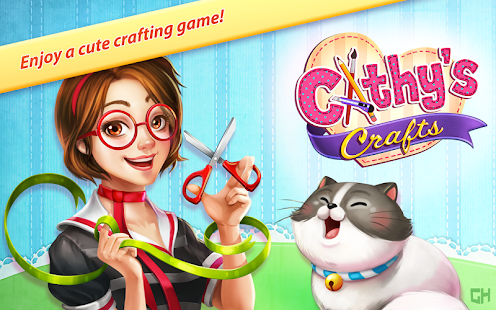
Manage your own crafting shop while enjoying the story of Cathy and Ming, a slightly eccentric cat! Craft loving customers will enter your store to create beautiful objects, but they’ll need your help to make the most creative decorations. While assisting them, be sure to feed Ming from time to time. The cat’s extremely cute & cuddly, but gets really grumpy when hungry! You’ll play in 6 different locations and you can customize your shops to give them the look you want. If you win all trophies you’ll be able to call yourself a real Craft Shop Star! Have fun!
The first location is fully free with an in-game unlock for the full complement of locations.
No additional purchases after the full unlock are necessary to experience all game features!
Game Features:
– Enjoy the 1st season of Cathy’s Crafts
– Play 60 lovely time management levels in 6 different locations
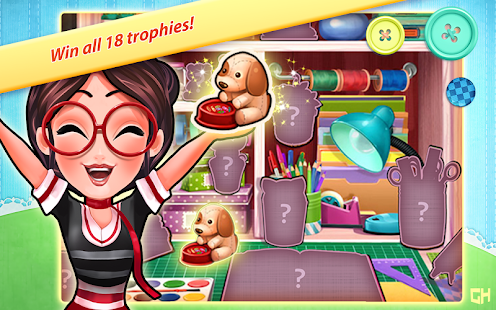
– Win all 18 trophies and become a real crafting star
– Help your customers create beautiful objects
– Delight yourself in the cute story of talented young Cathy and the cat, Ming


2) Copy cache folder from zip archive to SD/Android/obb/
Create this folder if you haven’t it.
3) The final result is SD/Android/obb/cache folder/*obb file
4) Launch apk
Available link for download

Thursday, December 1, 2016
Casting Youtube Media Video From Pc To Tv With Google Chrome
Casting Youtube Media Video From Pc To Tv With Google Chrome
Wanna learn something new today? lets start with this. do you know that you can cast youtube videos from your browser to your television? Unknown to many users of this great browser google chrome has the built-in ability to cast Media directly from your Computer to your TV Since the arrival of version 5.1.
Steps to cast your videos from Pc to Tv using google chrome
All you have to do is to. Drag down the option menu( using the hamburger icon) and click on the new available cast option u see just below Print.![[?IMG]](https://blogger.googleusercontent.com/img/b/R29vZ2xl/AVvXsEhsKCnd8aMmEYKp4m-lL5CM286YXP1JLyzuw5C1023yvaq8-wEgI9UhtxMcX1pc0uT414FEu1f3hhVmH8pY63rMfjLMlzkY0LtyIWI6IQvKcgGNZx8vvutCccjuhGPrUTpnvSzpn0q9_94/s320/google-chrome-new-cast-option.png)
After clicking on the cast option, a selection menu where you can choose which device you want to cast onto, which is nifty if you have multiple Chromecast in your house. One will be able to cast Google Hangout to in the future.
With a device selected, you’ll see this:![[?IMG]](https://blogger.googleusercontent.com/img/b/R29vZ2xl/AVvXsEjz4T6B5lKzmu60Q7FD6pMcgM8RCi2pXU5_T9W8_txV-zS48Zujbw75veCMOI7HEZbj5LT2u5D7VoXr2-9H6S6PCMlVk0iG2sqXrQAif-dZ1CKkO7TqHWyN7VNwkmMwOZxm6JJGNPQlUh0/s320/google-chrome-new-cast-selection.png)
In any circumstance, you’ll be able to cast your current tab or your entire desktop screen. However, if the tab includes a video source, such as YouTube.com, then you’ll be able to specifically cast the video as well.
Expect more tech news this weekend!
Available link for download